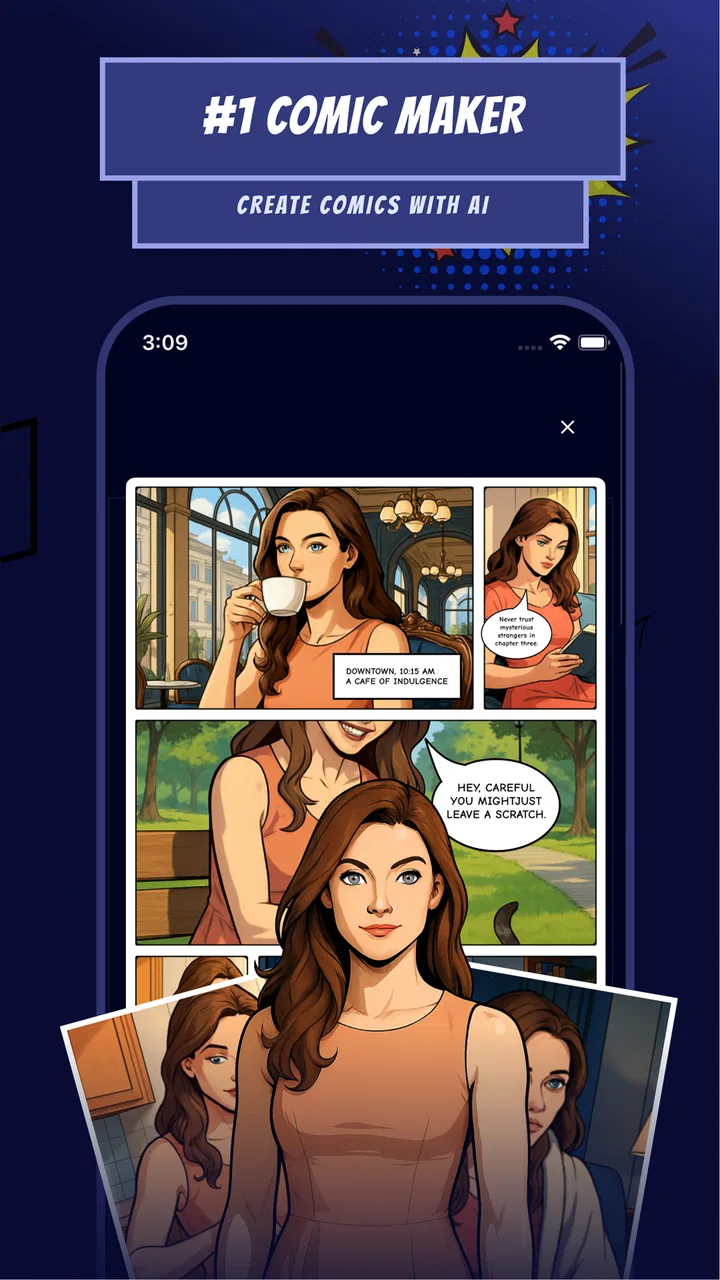
Comic maker - Arcstory
- 2.7
- Rating
- 100.00K
- Installs
- Free
- Price

 Analysis by App-foxy
I approached Comic maker - Arcstory as a quick way to turn an idea into a comic, manga, or manhwa-style project without starting with a blank page. Its appeal is obvious: you describe the kind of story you want to make, use the app’s AI-assisted creation approach, and work toward something that feels more visual than an ordinary writing app. In my experience, that makes it interesting for beginners, casual storytellers, and anyone who wants to test a character or scene before committing to a larger project.
It is also important to set the right expectations. This is a free comics app from Wallet Passes Alliance, listed for Everyone and available on Android devices running version 7.0 or later. It has passed the hundred-thousand-install mark, but its average rating sits at 2.7 from roughly 568 ratings, so I would not treat it as a polished replacement for professional illustration software. I see it more as an experimental comic-making tool: useful when speed and ideas matter more than perfect control.
Where the first attempts can get stuck
The biggest challenge is not necessarily creating an idea; it is turning that idea into a consistent sequence. AI-assisted comic creation can produce an attractive starting point while still leaving you with decisions about characters, tone, pacing, and continuity. A single impressive panel is not the same thing as a readable story. I found it more helpful to approach Arcstory as a drafting partner rather than an automatic comic studio that completes every creative decision for me.
You May Also Like

 Blood Strike: 2.5 Anniversary
Blood Strike’s Loadouts Turn Every Drop Into a Tactical Gamble
A close look at Blood Strike’s custom loadouts: how fast access to signature weapons reshapes its battle royale rhythm, rewards preparation, and narrows the gap between fights.

 Pandora - Music & Podcasts
Pandora’s Music Is Easy to Start, but Harder to Recover
Pandora’s strength is its low-effort path from a seed to a station. Its weak spot is how much confidence it asks you to place in connection, setup, and quiet recovery.

 8 Ball Pool
 Is Built on Rivalries, Rematches, and Routine
A close look at the rivalries, rematches, shared routines, and unanswered safety questions that turn a quick pool match into a persistent mobile community.

 Samsung Music
’s Quiet Strength Is Playing What You Already Own
Its reach comes less from spectacle than from dependable access to a personal library. That simplicity is both the app’s strongest retention engine and its ceiling.

 AccuWeather: Weather Radar
AccuWeather Review: A Quick, Clear Forecast for Everyday Decisions
For everyday plans, the best forecast is the one you can understand quickly. AccuWeather makes rain timing, radar, and local conditions easy to act on, with a few trade-offs.

 Hill Climb Racing
Why Hill Climb Racing Still Turns Crashes Into One More Run
A tiny car, a bumpy hill and one more upgrade: Hill Climb Racing keeps resurfacing because its simple chaos makes every near-miss feel personal.
More From Our News Desk



A practical first step is to keep the opening concept narrow. Instead of asking for an entire fantasy saga, I would begin with one short scene, two main characters, and a clear setting. That gives you a manageable test of the app’s workflow. It also makes it easier to notice whether the result matches your intention. If the first attempt feels confusing, the problem may be an overloaded prompt rather than the app itself.
New users may also get stuck because they expect the AI to understand unstated details. If a character needs to remain a detective with a red coat throughout a sequence, that information should be repeated in your planning notes or prompts. I would write down the fixed elements before creating anything: who is present, where the action happens, what the characters want, and how the scene ends. This small preparation makes the output easier to judge and reduces random changes between panels.
The app is best suited to visual experimentation. I can imagine using it to sketch a comic pitch, explore a manga-style opening, or create a rough visual version of a scene written in a notebook. It is less suitable if your priority is exact anatomy, carefully controlled lettering, or production-ready pages. For those jobs, a dedicated drawing or layout program will normally give you more direct control.
Start with a small scene, not a whole series
One useful workflow is to treat the first project as a storyboard. I would create a beginning, a change, and an ending rather than trying to build a long chapter immediately. For example, a character misses a train, notices a strange message, and chooses to follow it. That simple structure gives the app a clear narrative path and gives me something concrete to evaluate beyond visual novelty.
This approach also helps answer a question many users have before installing: can the app make a complete comic by itself? I would say it can help assemble the creative foundation, but you should expect to guide it. The stronger your concept and the more carefully you review each stage, the more useful the result becomes. Anyone looking for one-tap publishing with no editing will probably be disappointed.
Setup checks that prevent avoidable frustration
Before blaming the generator, I would check the basics. The current version is 3.8.9, and the app requires Android 7.0 or newer. That requirement is modest, but older phones can still struggle with any creative tool that depends on image generation or repeated project editing. Closing other demanding apps, keeping enough free storage available, and restarting the app after an unusual error are sensible first checks.
I would also make sure the device has a stable internet connection before beginning a serious project. AI-assisted creation commonly depends on communication with online services, so an unstable connection can look like a failed prompt, a missing result, or a project that appears to stop halfway through. I would avoid testing the app for the first time on a weak mobile signal, especially if I had already spent time planning a scene.
Another useful check is to confirm what I am trying to save before leaving a screen. Creative apps often separate generating an image from keeping it as part of a project. I would pause after each successful step and look for a clear way to continue or preserve the work. That habit is more reliable than assuming every generated result is automatically stored.
The app is free to install, but it includes in-app purchases ranging from $0.99 to $99.99 per item. That matters when deciding how much to experiment. I would first learn the basic workflow with a small idea and avoid spending money simply because an early result is imperfect. If a purchase prompt appears, I would read what it unlocks and decide whether it solves a real limitation in my project rather than treating it as a shortcut to better storytelling.
Because the content rating is Everyone, the app is presented as suitable for a broad audience. Parents or teachers should still guide younger users through the creative process, particularly when AI-generated material produces something unexpected. An Everyone label does not remove the need to review the output before sharing it with children or using it in a classroom.
A simple preparation routine
My preferred setup routine would look like this:
- Write the scene in plain language before opening the generator, including the characters, location, action, and mood.
- Choose one visual direction for the test instead of mixing comic, manga, and manhwa expectations in the same request.
- Keep the first sequence short so that inconsistencies are easy to spot and correct.
- Save or record successful steps as I work, rather than waiting until the end of the session.
- Review any purchase screen carefully before confirming an optional item.
This routine may sound basic, but it addresses the most common kind of friction: not knowing whether a disappointing result came from the prompt, the connection, the device, or the app’s own limits. A controlled first test gives me a clearer answer.
Recovering a workflow that goes wrong
When a generated scene does not fit, I would resist the temptation to rewrite everything at once. Changing the characters, location, mood, and action in one attempt makes it impossible to know what improved. Instead, I would keep the strongest part and adjust one element. If the composition works but the character feels wrong, I would revise the character description. If the character is fine but the action is unclear, I would simplify the action.
This is one of the more important trade-offs with an AI comic maker. Speed encourages repeated attempts, but repeated attempts without a plan can create a pile of disconnected images. I get better value by selecting a visual reference point and building around it. Even if the app does not produce a perfect continuation, I can use the successful result as a guide for the next scene.
A realistic everyday use case would be a student preparing a short visual presentation. They might have a story idea about recycling at school but no drawing experience. I would suggest creating three scenes: the problem, the discovery, and the solution. The student could then inspect the images, rewrite the captions or narrative in their own words, and use the result as a rough presentation aid. The app helps turn an abstract idea into something discussable, but the student still needs to check whether the sequence communicates clearly.
For a hobby writer, another useful workflow is character testing. I could take one character and place them in three different situations to see which premise feels strongest. That is more productive than trying to finish a complete book in one session. It uses the app for exploration, where AI generation has a genuine advantage, while leaving final editing and continuity decisions to me.
If a result disappears or a project does not appear as expected, I would first retrace the last successful action. I would check the connection, reopen the project, and try a small test rather than immediately repeating a large generation. If the same issue continues, restarting the app and the device is a reasonable general troubleshooting step. I would also avoid repeatedly tapping a purchase or generation control when the screen is slow to respond, because that can make it harder to understand what actually completed.
There is a second kind of recovery that is creative rather than technical: changing the goal. If the app struggles with a detailed multi-character battle, I might turn the same idea into a close-up conversation or a two-panel reveal. This is not lowering the quality bar; it is adapting the scene to a format that is easier to control. Short, focused moments often communicate better than crowded pages.
When the app is not the cause
Some disappointing results come from the nature of AI-assisted image creation rather than a broken installation. Visual consistency is difficult when a story requires the same face, clothing, pose, and setting across several panels. If one panel looks excellent and the next changes important details, I would not assume the phone has malfunctioned. I would treat that as a reason to simplify the sequence and reinforce the details that must remain stable.
Likewise, unclear storytelling can originate in the source idea. A prompt such as “make an exciting manga about a hero” leaves too many decisions open. A more useful brief identifies the hero’s immediate problem, the setting, the emotional shift, and the intended audience. The app can help visualize a direction, but it cannot replace the basic work of deciding what the reader should understand first.
Device performance can also affect the experience. A modern phone with a reliable connection is likely to feel more comfortable for repeated creative sessions than an older device with limited space or many background tasks. If the app opens but behaves slowly, I would compare the behavior during a small test with the behavior during a larger project. That distinction helps separate a general device limitation from a problem tied to one particular scene.
Arcstory is not my first choice for someone who needs a professional comic pipeline. A traditional drawing app is better when I need precise brush control, layers, lettering, perspective guides, or frame-by-frame refinement. A conventional writing app is better for outlining a long plot and tracking detailed character development. A template-based comic editor may also be preferable when I want predictable panels and manual placement rather than AI-generated interpretation.
On the other hand, those alternatives can feel intimidating when the main obstacle is a blank canvas. Arcstory’s value is that it gives an idea a visual starting point. For a beginner who wants to see whether a story works before learning advanced illustration tools, that can be more motivating than a feature-rich editor filled with controls.
My practical verdict after using it as a creative draft tool
I would recommend Comic maker - Arcstory to readers who want to experiment with comics, manga, or manhwa ideas and are comfortable reviewing and guiding AI-assisted results. Its strongest use is early-stage creation: testing a premise, visualizing a short scene, preparing a rough storyboard, or finding inspiration when drawing skills are limited. The free entry point makes it easy to try, while the optional purchases mean I would keep an eye on spending during extended experimentation.
I would skip it if I needed dependable character continuity, professional page control, or a finished comic with little manual attention. The relatively low average rating of 2.7 is a useful reminder to keep expectations realistic. I would install it with a small test project, a stable connection, and a clear idea of what success means. If the app helps me move from words to a readable visual draft, it has done its job.
My final advice is to judge it over a short, controlled workflow rather than one ambitious project. Plan three scenes, keep the cast small, save useful results as you go, and change one variable at a time when something feels wrong. The best results come from treating the app as a fast visual collaborator, not as a replacement for the person directing the story. For casual creators and curious beginners, that makes it worth exploring; for demanding comic production, a dedicated editor remains the safer choice.
FAQs for Comic maker - Arcstory
01What is Comic Maker - Arcstory?
Comic Maker - Arcstory is a user-friendly app designed for creating and editing comics on your mobile device. It offers a range of tools and templates to help both beginners and seasoned comic creators bring their stories to life, with options for customizing panels, adding text, and importing images.
02What features does Comic Maker - Arcstory offer?
Comic Maker - Arcstory includes a variety of features such as customizable templates, a library of backgrounds and characters, text bubbles, and special effects. Users can also import their own images and collaborate with others. The app supports both portrait and landscape orientations, making it versatile for different storytelling styles.
03Is Comic Maker - Arcstory suitable for beginners?
Yes, Comic Maker - Arcstory is designed to be intuitive and beginner-friendly. It provides a selection of pre-made templates and an easy-to-navigate interface, making it accessible for users with no prior experience in comic creation. There are also tutorials available to help new users get started quickly.
04Are there in-app purchases in Comic Maker - Arcstory?
While Comic Maker - Arcstory is free to download, it does offer in-app purchases. These purchases can unlock additional features, templates, and premium content. Users can choose to enhance their comic creation experience with these optional upgrades, but the basic tools are available at no cost.
05Can I share my comics created with Comic Maker - Arcstory?
Yes, you can easily share your comics created with Comic Maker - Arcstory. The app allows you to export your comics in various formats and share them directly on social media platforms, or via email and messaging apps. This makes it simple to showcase your creative work with friends and followers.
Pros
- Intuitive user interface for easy creation.
- Wide variety of templates available.
- Offers high-quality export options.
- Includes collaborative features for teamwork.
- Regular updates with new features.
Cons
- Limited free version features.
- Occasional lag on older devices.
- Some templates are paywalled.
- Requires internet for certain features.
- Ads can be intrusive on free version.

Comic maker - Arcstory
Gallery